> For the complete documentation index, see [llms.txt](https://support.docstudio.com/llms.txt). Markdown versions of documentation pages are available by appending `.md` to page URLs; this page is available as [Markdown](https://support.docstudio.com/admin-panel/billing/how-to-manage-balance-details-and-payment-methods.md).
# How to Manage Balance Details & Payment Methods
This document contains an overview of the Balance details and Payment methods pages, including Stripe payment method setup and related limitations.
### Balance details
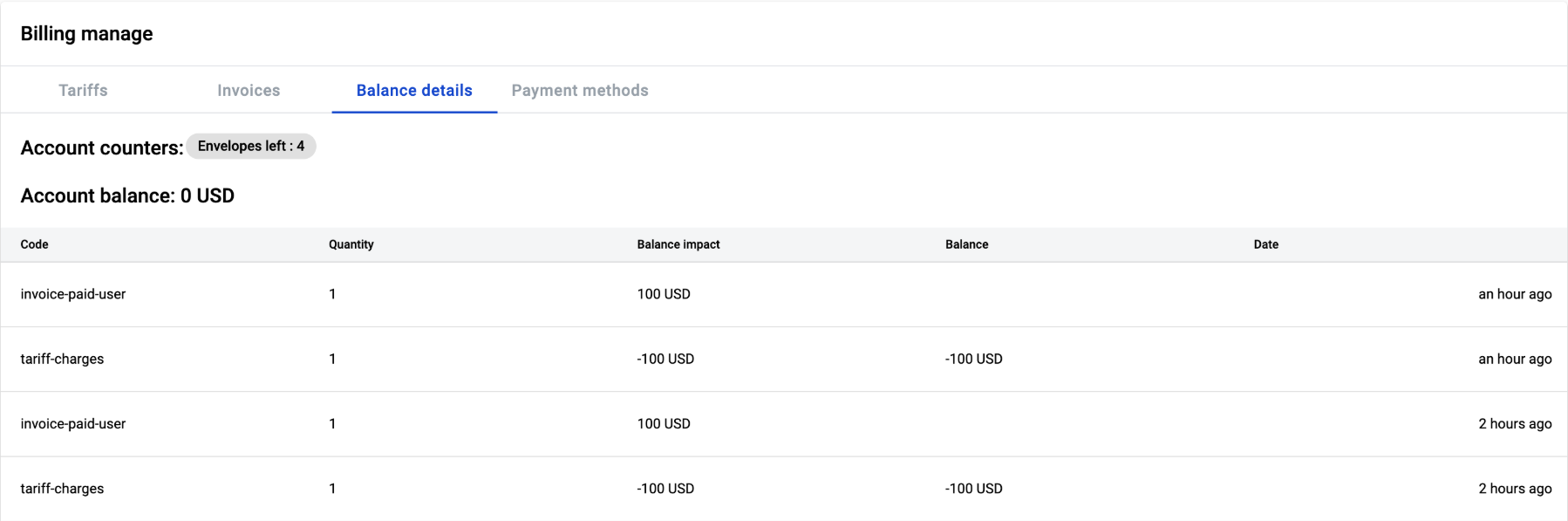
The **Balance details** page shows details related to:
* account events
* activities that impact the account balance
* the account counters (envelope quantity, mailbox quantity, etc.)
{% hint style="info" %}
Each counter depends on the plan configuration.
{% endhint %}
### Payment methods
{% hint style="danger" %}
**We are not storing your payment details**.\
The payment details are stored by the **Stripe** payment provider.
{% endhint %}
The **Payment methods** page shows payment details for the **Stripe** payment provider assigned to the account. The page is empty by default.
**To add payment details:**
1. Click the button.
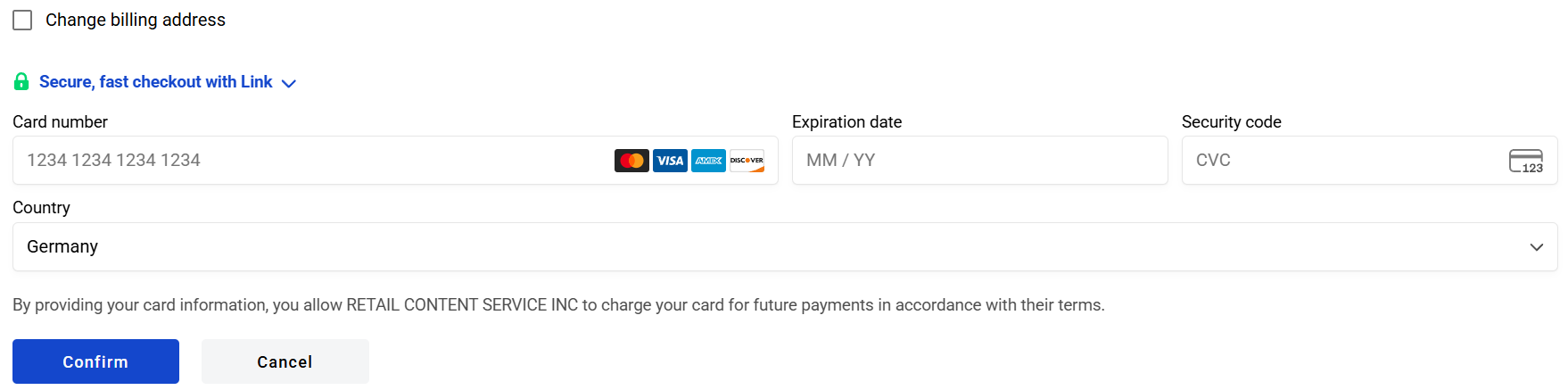
2. Fill in the payment details.
3. Click the button.
* Click the button to close the page.
{% hint style="warning" %}
The page is available only if the **Stripe** payment provider is enabled on the instance. Otherwise, the page is not accessible.
{% endhint %}
By default, you can add only a **payment method**. If you need to **add**/**update** the billing address within the payment details, enable the **Change billing address** checkbox.
After you add payment details and/or a billing address, you will see the saved payment details with an option to update them.
{% hint style="info" %}
Only one payment method can be active for one account at a time. If you update the payment method, the updated one becomes active, and the previous one is no longer available.
{% endhint %}
 button.
2. Fill in the payment details.
3. Click the
button.
2. Fill in the payment details.
3. Click the  button.
* Click the
button.
* Click the  button to close the page.