> For the complete documentation index, see [llms.txt](https://support.docstudio.com/llms.txt). Markdown versions of documentation pages are available by appending `.md` to page URLs; this page is available as [Markdown](https://support.docstudio.com/user/user-profile/how-to-upload-a-user-icon.md).
# How to Upload a User Icon
This document explains how to upload a profile icon or reset it to the default icon.
### Upload an icon
Use a profile icon to make your account easier to recognize in DocStudio.
{% columns %}
{% column %}
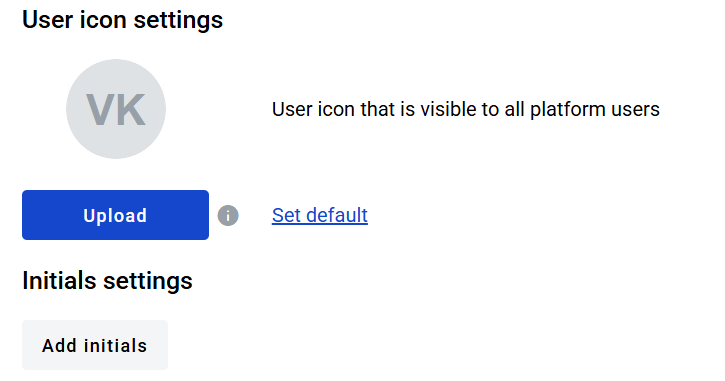
1. Click your user initials in the top-right corner.
2. Open your **User profile**.
3. Click the button.
4. Select an image.
5. Optional: Hover the info icon to check allowed formats and sizes.
6. Click the button.
{% endcolumn %}
{% column %}
{% endcolumn %}
{% endcolumns %}
{% hint style="info" %}
Use an image that matches these requirements:
* resolution from `25 × 25` to `300 × 300`
* formats `.png`, `.jpg`, `.jpeg`, `.svg`
* maximum file size `1 MB`
{% endhint %}
The new icon is saved in your user profile.
### Reset to default
1. Click **Set Default** to restore the default profile icon.
2. Click the button to save the change.
To manage related settings, see [Personal Settings Page Overview](/user/user-profile/personal-settings-page-overview.md).
 button.
4. Select an image.
5. Optional: Hover the info icon to check allowed formats and sizes.
6. Click the
button.
4. Select an image.
5. Optional: Hover the info icon to check allowed formats and sizes.
6. Click the  button.
{% endcolumn %}
{% column %}
button.
{% endcolumn %}
{% column %}