Adding and managing domains

Domain configuration allows you to manage your domains and activate and deactivate them within the platform. Domains must be added and verified to create users on the platform with a domain you own.

  1. To add a domain, go to the corresponding tab in the account settings menu called ‘Domains’

  1. Click on the in the header

  1. Enter the name of the domain you own and confirm your action
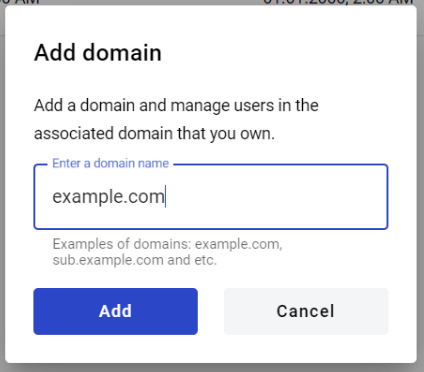
  2. Confirmation window will open. Here you have to verify ownership of selected domain

  1. If the domain exists, we can ping it, and if the domain has not been verified by anyone, it will be added to the list of domains


How to verify a domain

  1. Add a domain to the platform

  2. After adding, you will see a modal window with instructions
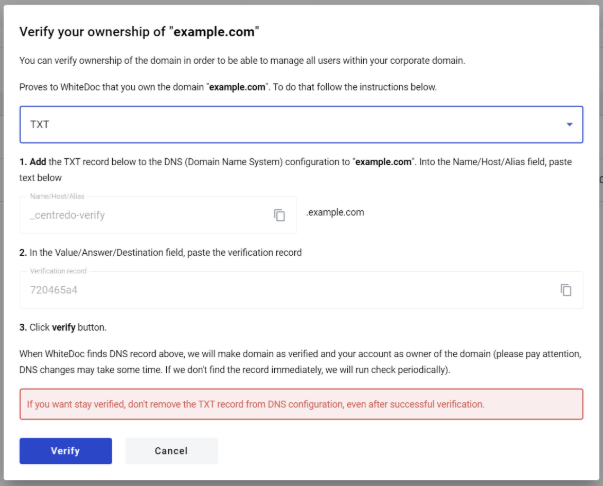
  3. Copy data from the modal window and enter it into the respective field on the DNS configuration of your domain

  4. Click on the Verify button in the modal window, and the system will automatically try to confirm your ownership

  5. As soon as the system receives confirmation of your ownership, the administrator will receive an email notification about the successful verification of the domain on the platform


How to activate a domain

  1. Click on the Activate button that will appear after successful domain verification

  2. The domain is active


How to delete a domain

  1. Click on the Basket icon next to the domain you want to delete
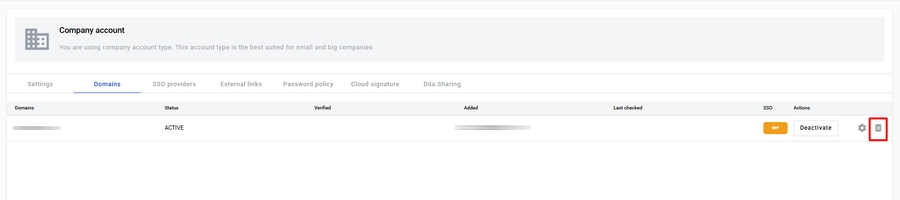
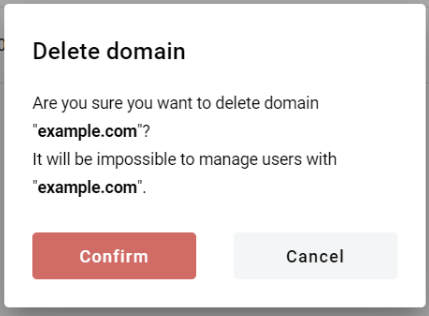
  2. Confirm your actions (please note that if you delete a verified domain, you will lose the ability to manage users with your domain)
Last updated