Lookup field
Use Lookup field to auto-fill a value from a Dictionary field selection.
It returns a value from a selected Column name in the row chosen in the parent dictionary.
You can place this field in:
structured documents
PDF documents
Add a lookup field
Open the template in edit mode.
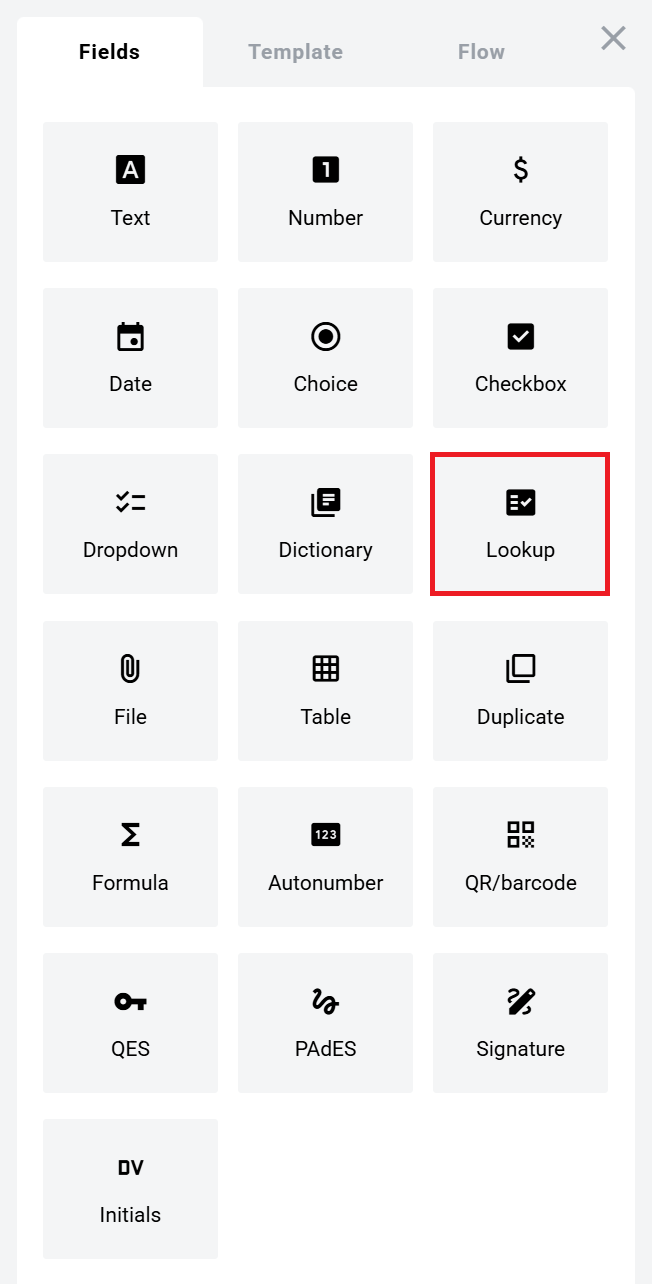
Open the Fields panel.
Find Lookup field and add it to the document.
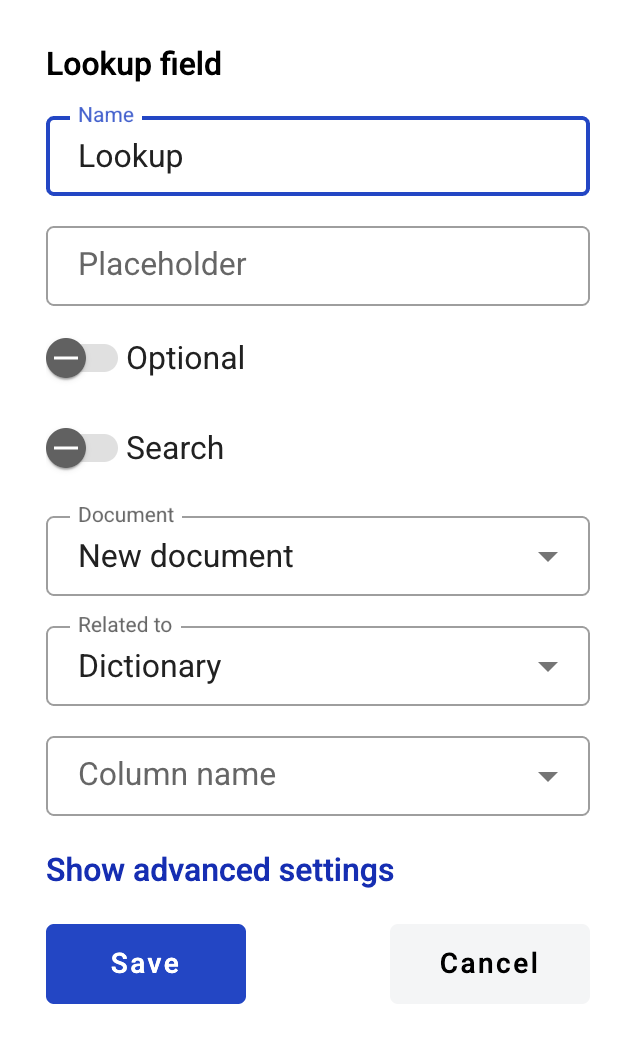
Configure the field and click Save.
Field settings
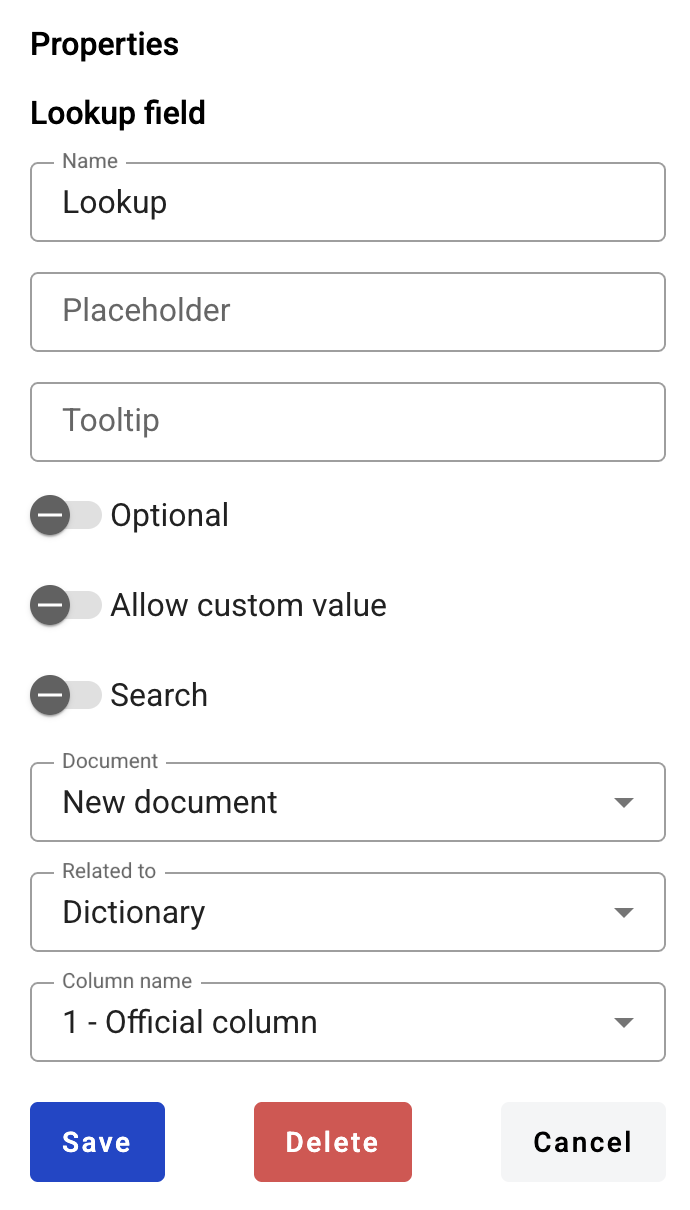
Click the field in the document to reopen properties and update them.
Basic settings
Name — field name shown in the document
Placeholder — hint text shown before input; if empty, Name is used
Optional — whether filling the field is required
Allow custom values — allows free text input in addition to lookup values
Search — whether the field is available for mailbox search
If the parent dictionary enforces optionality or custom values, the same rules are enforced for related lookups.
Lookup source
Document — document where the parent dictionary field is located
Related to — parent dictionary field
Column name — dictionary column to return
Edit or delete a lookup field
Click the field in the document.
Update settings in the properties panel, or delete the field there.
Links inside a lookup field
If the populated value contains a URL, it is rendered as a normal browser link (blue + underline).
You can open the link from the right-click context menu (any role).
You can open the link with a direct click only if the field is inactive.
Last updated