To read a qualified electronic signature, install the required software on your computer. You must do this manually.
Update your OS and browser to the latest version.
Download and install the crypto library:
macOSarrow-up-right
Windowsarrow-up-right
Add the browser extensionarrow-up-right.
Restart your computer.
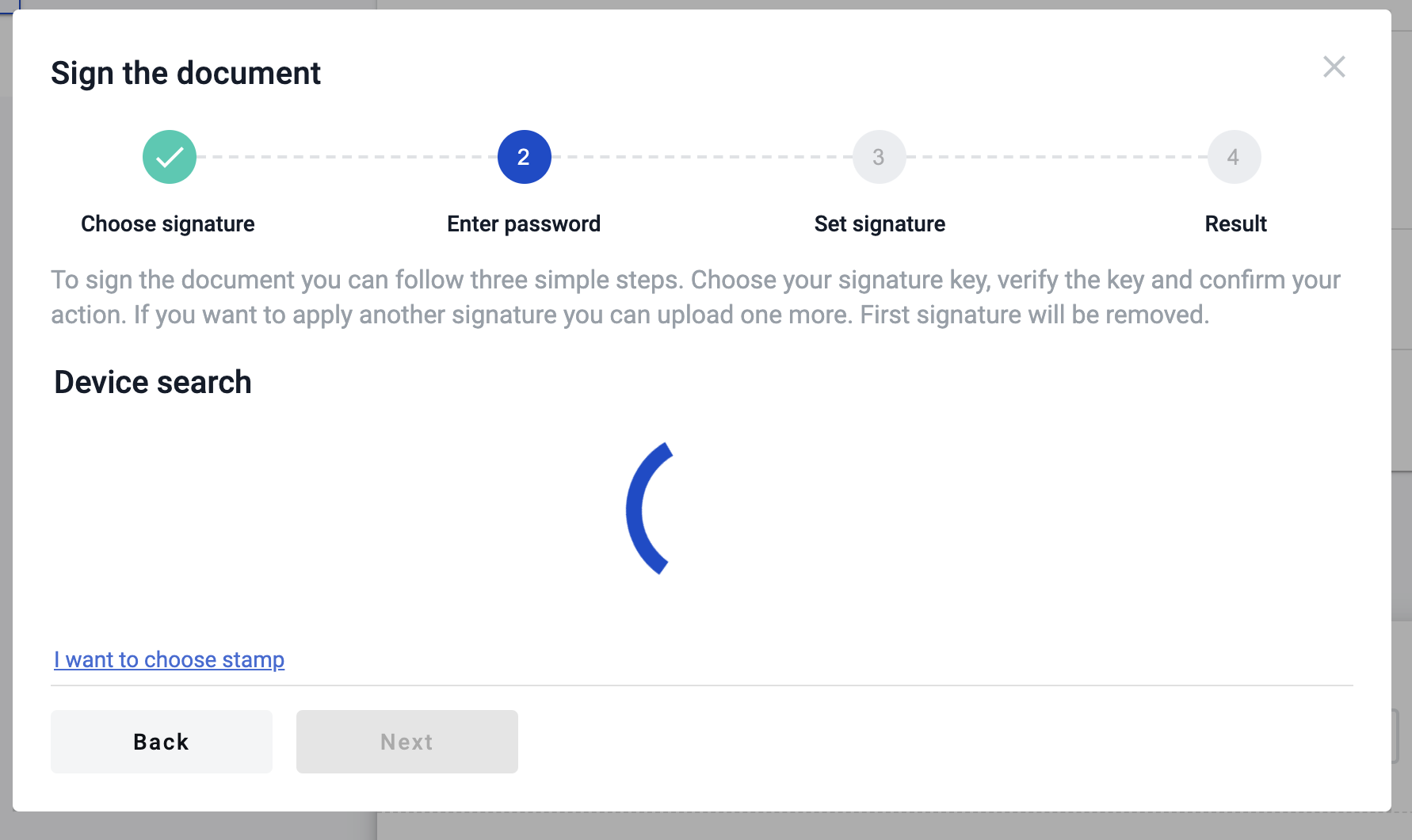
Wait until device search is finished.
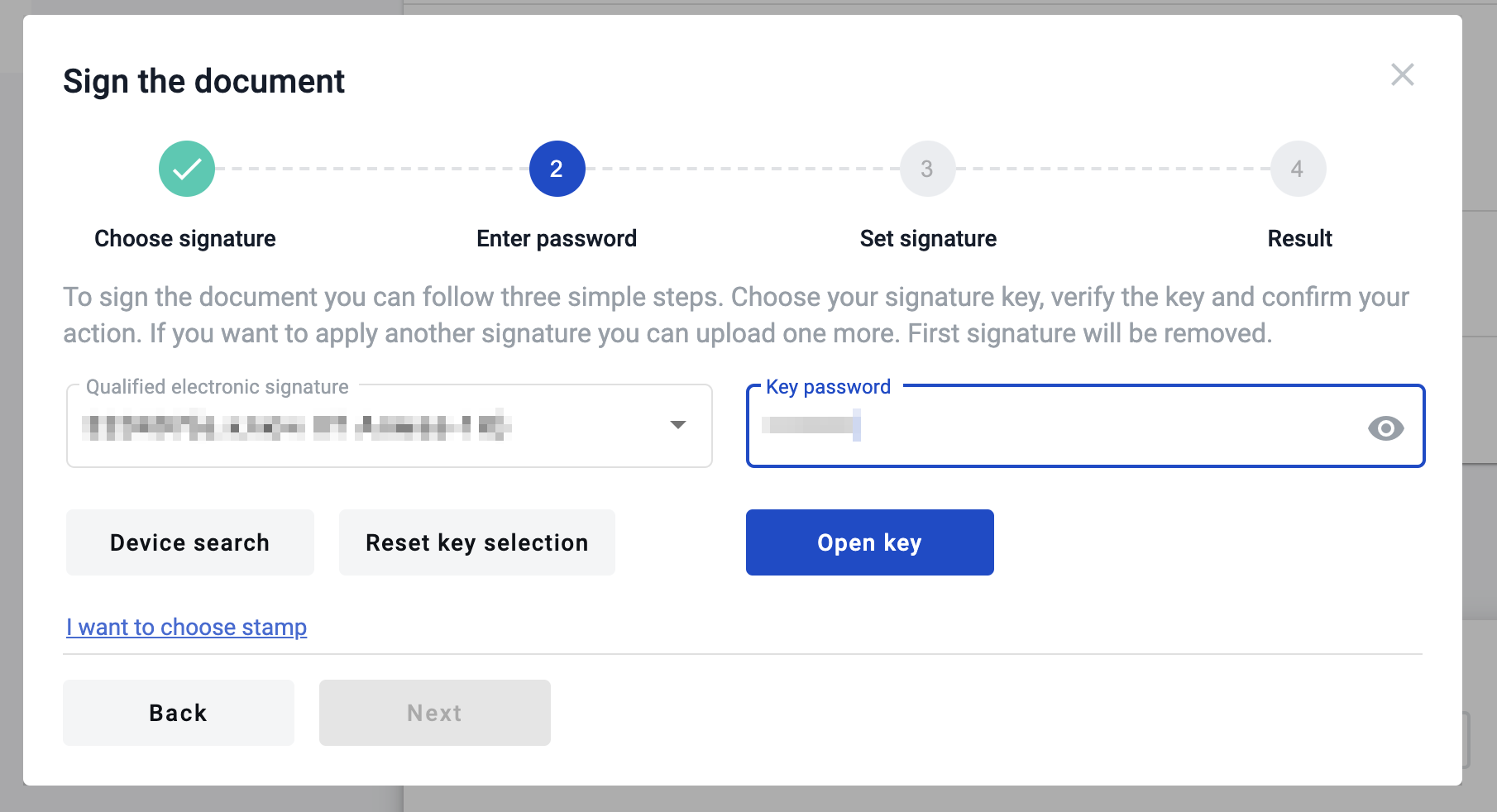
Select your hardware key.
Enter the key password.
Click Read key.
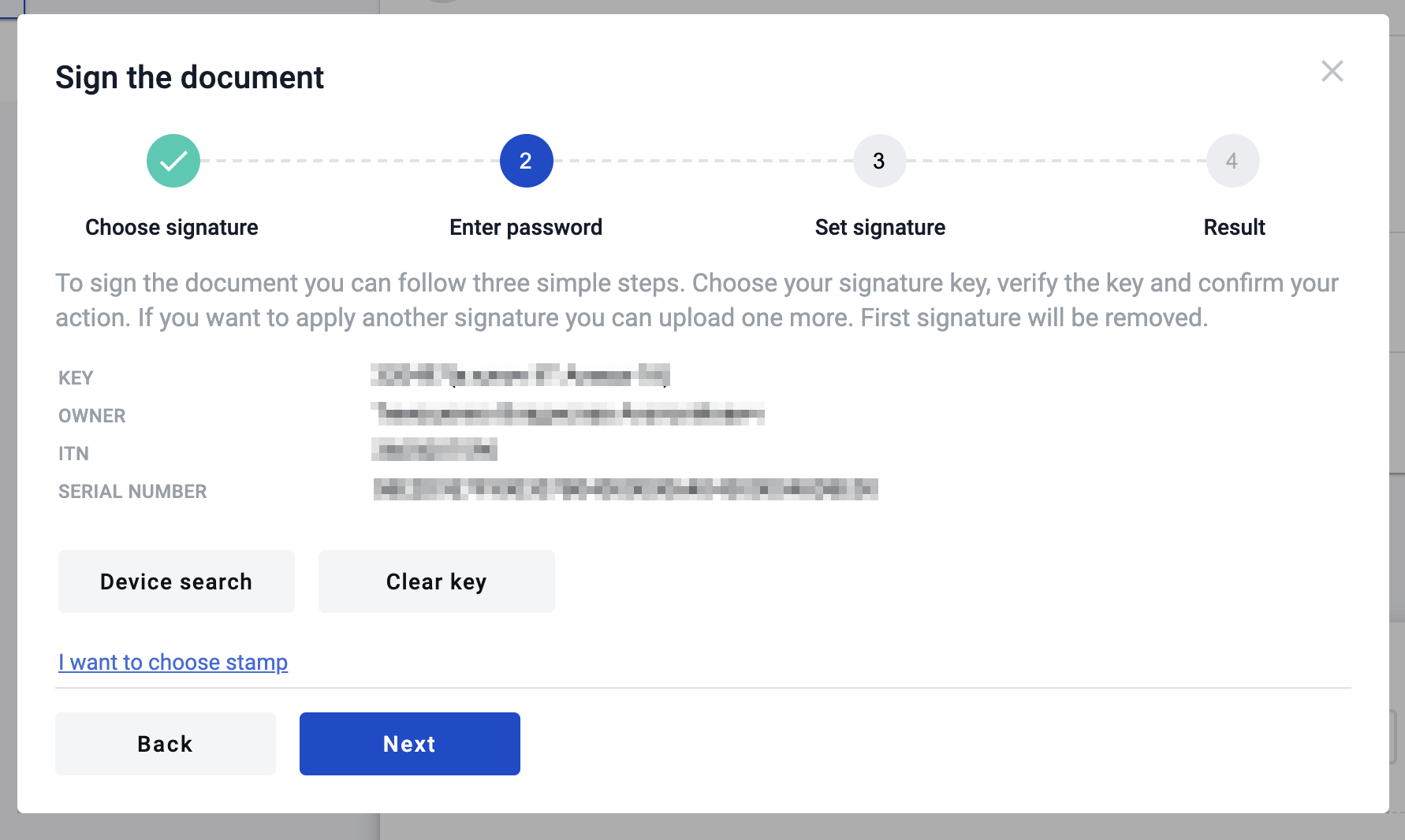
If the password is valid and the key is valid, you will see signature details and the next step.
If not, you will see an error message.
When you enter valid data, you will see key information for signing the document.
Last updated 5 days ago