How to send an envelope for approval

Send an envelope for approval to collect approvals before continuing the flow.

circle-exclamation

Send an envelope for approval

  1. Open the envelope in Waiting status (or a draft envelope).

  2. In the header (top-right), click .

chevron-rightClick to view the screenshot...hashtag
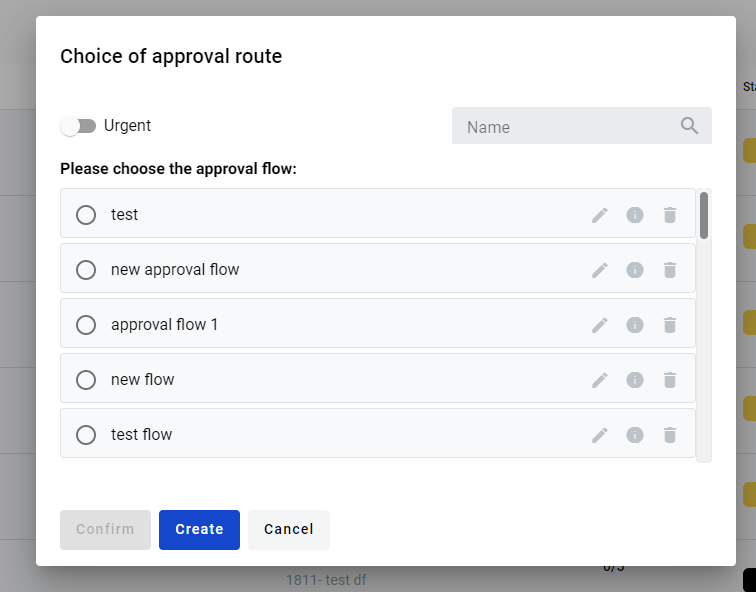
  1. In the modal, select a saved route.

  2. (Optional) Mark the envelope as urgent.

  3. Click .

circle-info

You can search routes by name. Use the info icon next to a route to view details.

chevron-rightClick to view the screenshot...hashtag

Create an approval route

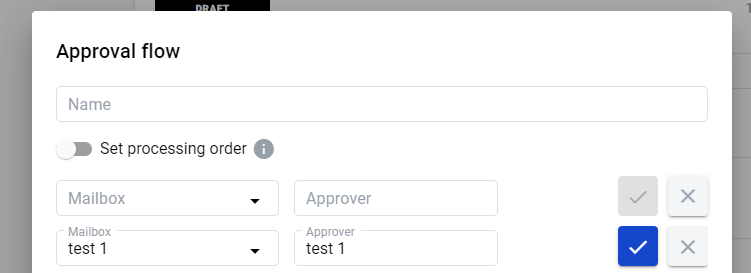
  1. In the approval modal, click .

  2. Enter the route name.

  3. In Approver and Mailbox, select the approver mailbox (search by name or UUID).

  4. Click .

  5. Repeat for each approver.

  6. To remove an approver, click .

circle-exclamation
chevron-rightClick to view the screenshot...hashtag

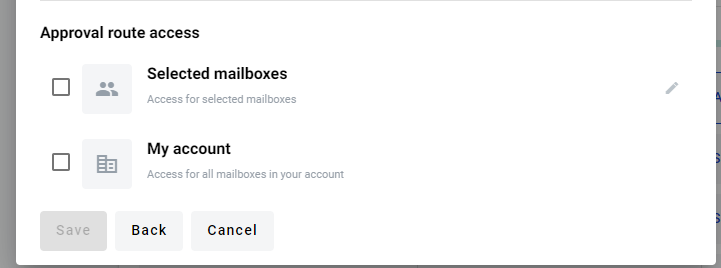
Set route access

You can share a route with:

  • selected mailboxes in your account

  • all mailboxes in your account

chevron-rightClick to view the screenshot...hashtag

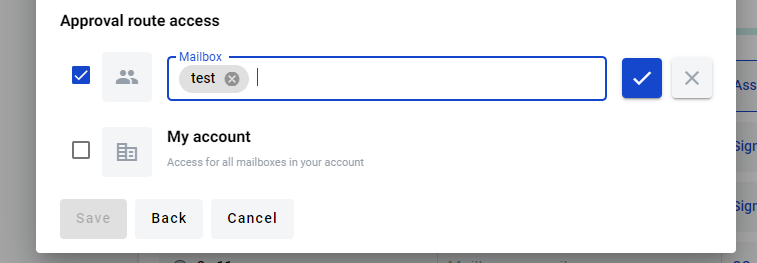
Grant access to selected mailboxes

  1. Click edit access for Selected mailboxes.

  2. Enter the mailbox name.

  3. Save the changes.

chevron-rightClick to view the screenshot...hashtag

Save and send for approval

  1. Click to save the route.

  2. Select the route from the list.

  3. Click .

Result

After you send an envelope for approval, it gets On approval status.

View the approval flow in an envelope
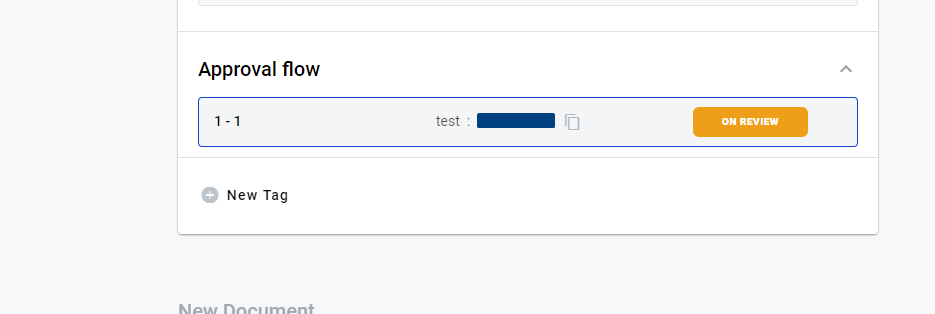
  1. Open an envelope in On approval status.

  2. Scroll to Approval flow.

  3. Expand the section.

chevron-rightClick to view the screenshot...hashtag

You can see approver statuses and comments there.

Limitations

While the envelope is On approval, the user who started approval can’t continue processing the envelope.

Only the last approval run is shown in the UI. Previous approval history is available via API.

What approvers can do

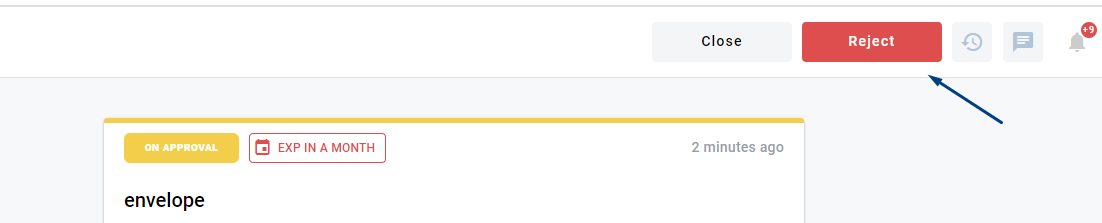
Approvers can approve or reject the envelope. They can also add a comment.

  • If an approver rejects the envelope, the approval flow ends with Rejected status.

  • If an approver approves the envelope, the flow continues to the next approver.

  • When the flow finishes, the envelope returns to Waiting status.

Last updated