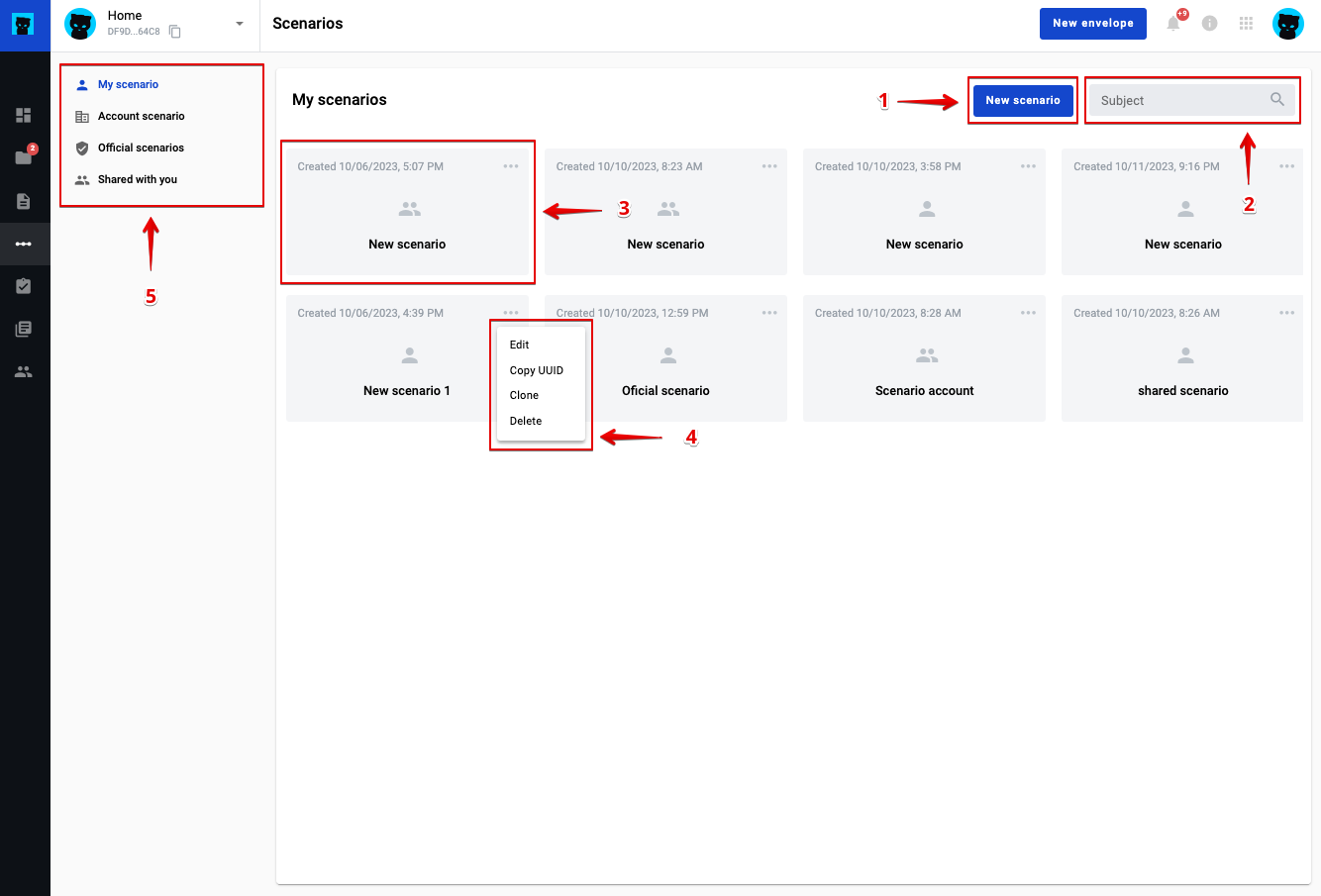
Scenario list and scenario concept
Use scenarios to chain envelopes. You can also transfer data from one envelope to another, if needed.
To manage scenarios, open the Scenarios page in the left menu.
You can create, edit, clone, and delete scenarios.
You can also add, edit, and delete steps. In steps, you specify the source template, destination template, XSLT conversion rule, and condition rule.
To create a scenario, click .
Scenario list and scenario concept
Click to create a scenario.
Use the filter field to filter the scenarios list.
Click a scenario in the list to run it.
Open the scenario actions menu to edit, clone, or delete a scenario.
Open the scenario access level menu to manage access.